LECTOR
LECTOR (Latin, "reader": the one who reads aloud) is a reader for PDFs and EPUBs, made for the iPad and at home on the iPhone and the Mac. It shows books the way they were printed, as spreads side by side, and reads them aloud with the sentence being spoken lit up on the page. The library lives in Dropbox, so every device sees the same books, the same place in each book and the same highlights, and a book that has been opened once reads with no connection at all.
Three rooms
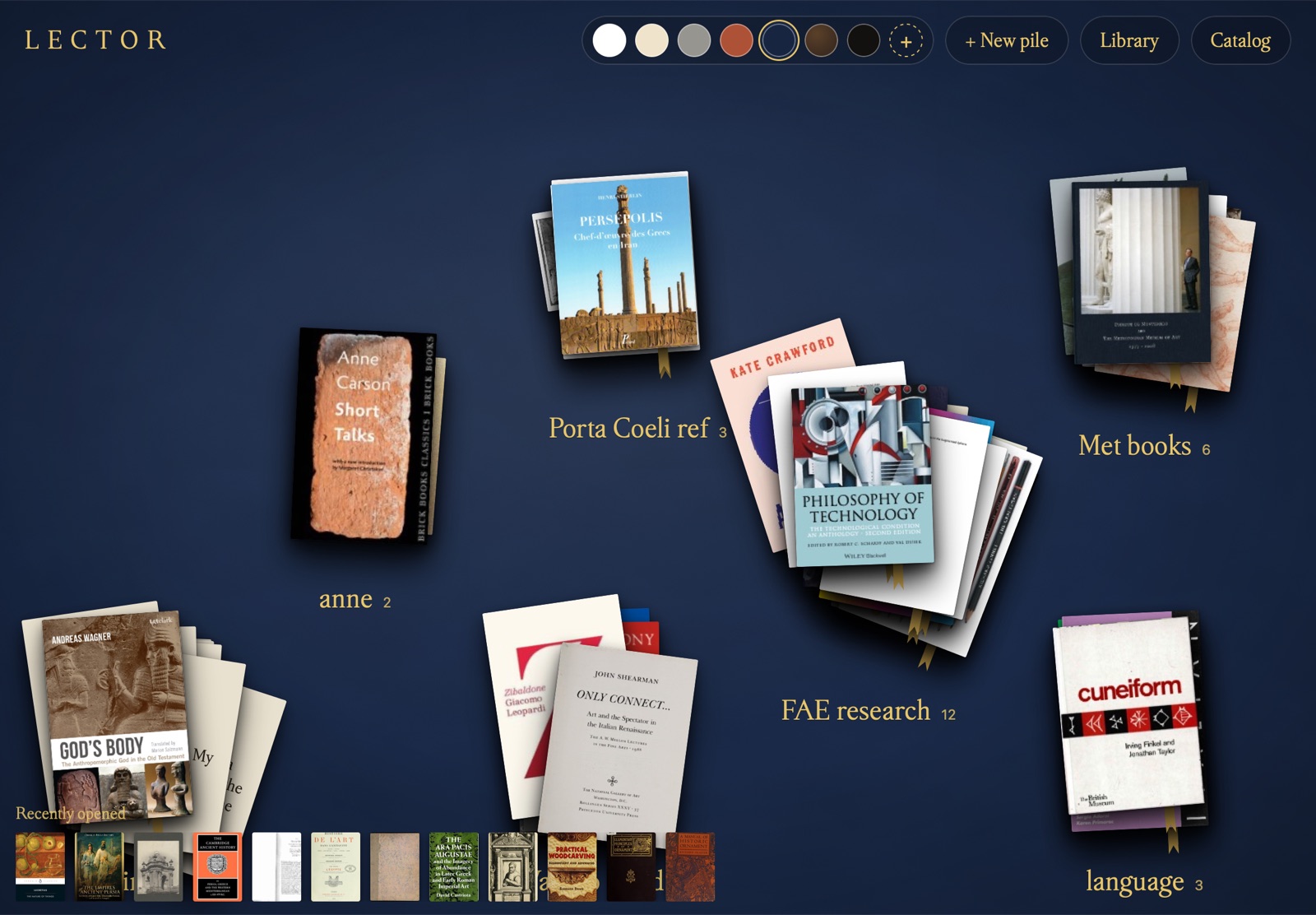
- Piles is the desk: the books she has chosen to keep near, heaped on a ground of cream, terra, walnut, navy or black (or a picture of her own). A pile is a list, not a folder. Drag a book onto a pile, draw a ring on the ground to make a new one, strike a line through one to take it apart. Opening a pile shows the pages she is on, newest on top. A row of recently opened books runs along the bottom.
- The Library is the stacks, a room to browse in. Every book is catalogued by Claude from its opening pages: title, authors, publisher, year, a short summary and the stacks it belongs in (Egypt & Ancient Near East, Sculpture, Drawing & Printmaking, and about forty more). Pinch out to see the whole library on one screen, pinch in to walk into a stack. It can also be arranged by publisher, decade, form or A to Z.
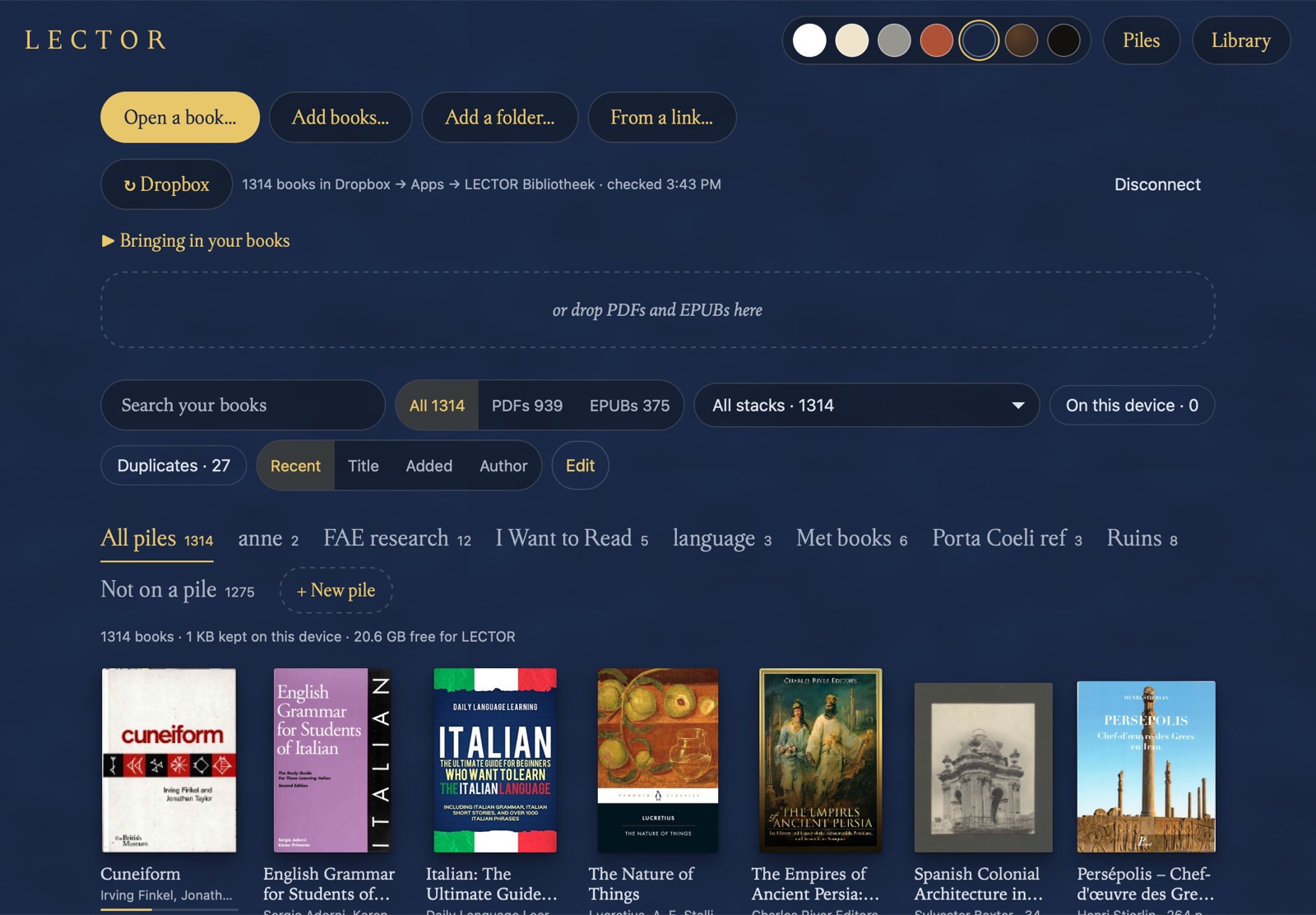
- The Catalog is the plain, searchable list: filter by PDF or EPUB, by stack or pile, sort by recent, title, added or author, find duplicates, save a search as a stack of its own, and see which books are kept on this device.
A card for every book
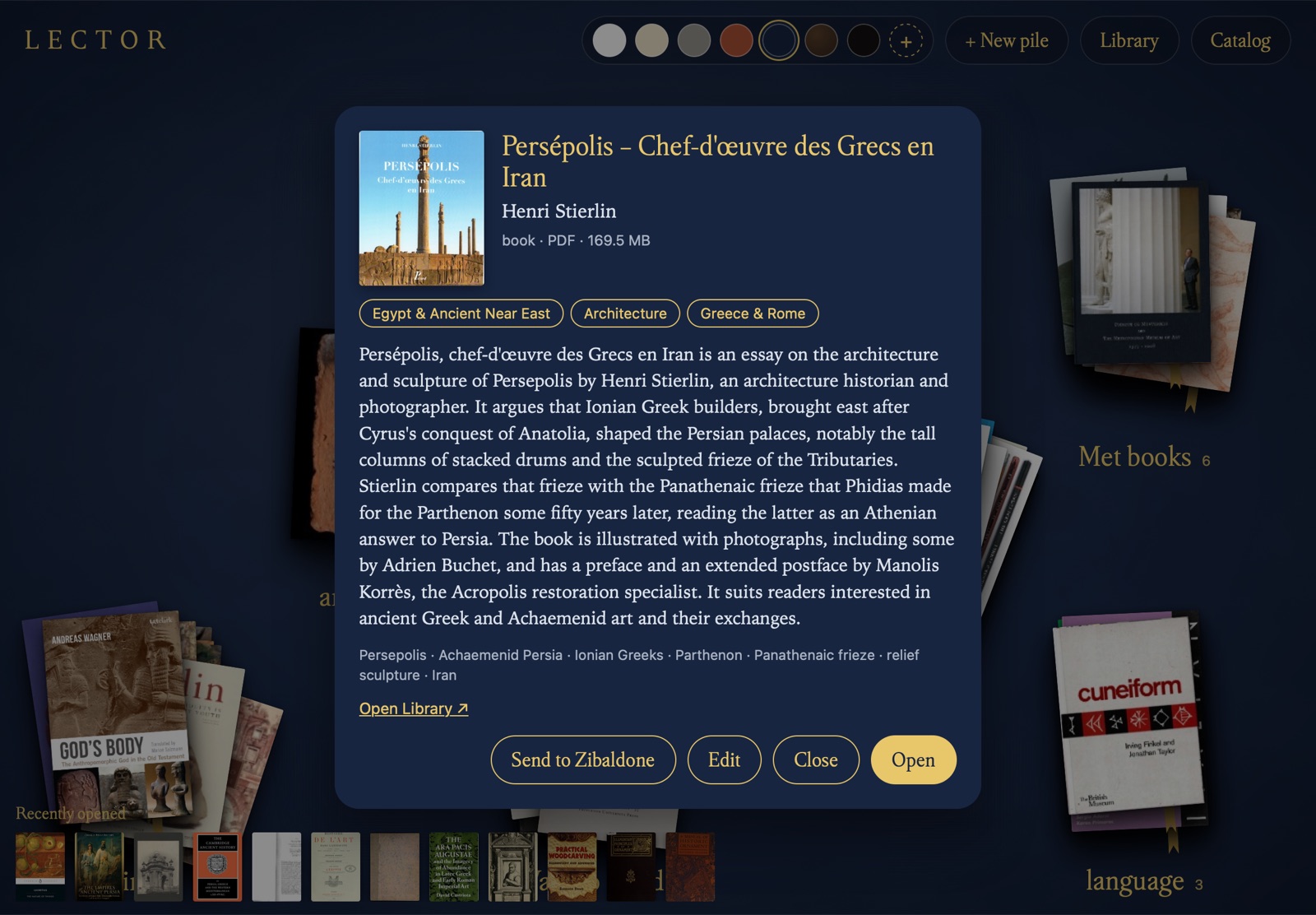
Tapping a cover opens its card: the cover, the catalogue entry and summary, links to Open Library or Wikipedia when they match, and buttons to open it, edit it, or send it to ZIBALDONE as a reference. Edit corrects any field, and the correction wins over the sorter on every device.
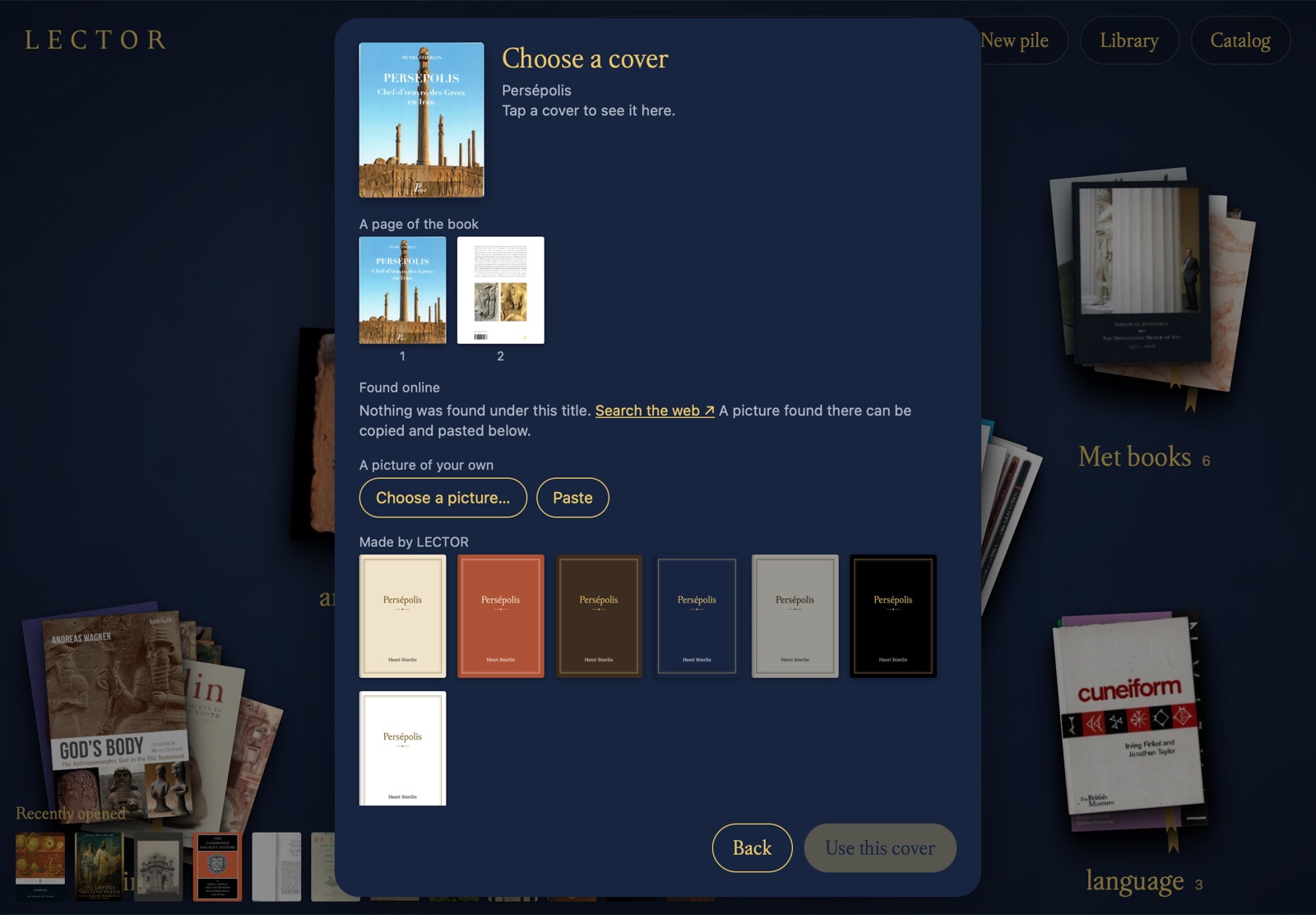
Change cover (from Edit) chooses a new cover: another page of the PDF, one found online, a picture of her own, or one LECTOR sets in type from the title and author in the ground colours. The choice follows the book to her other devices.
Reading
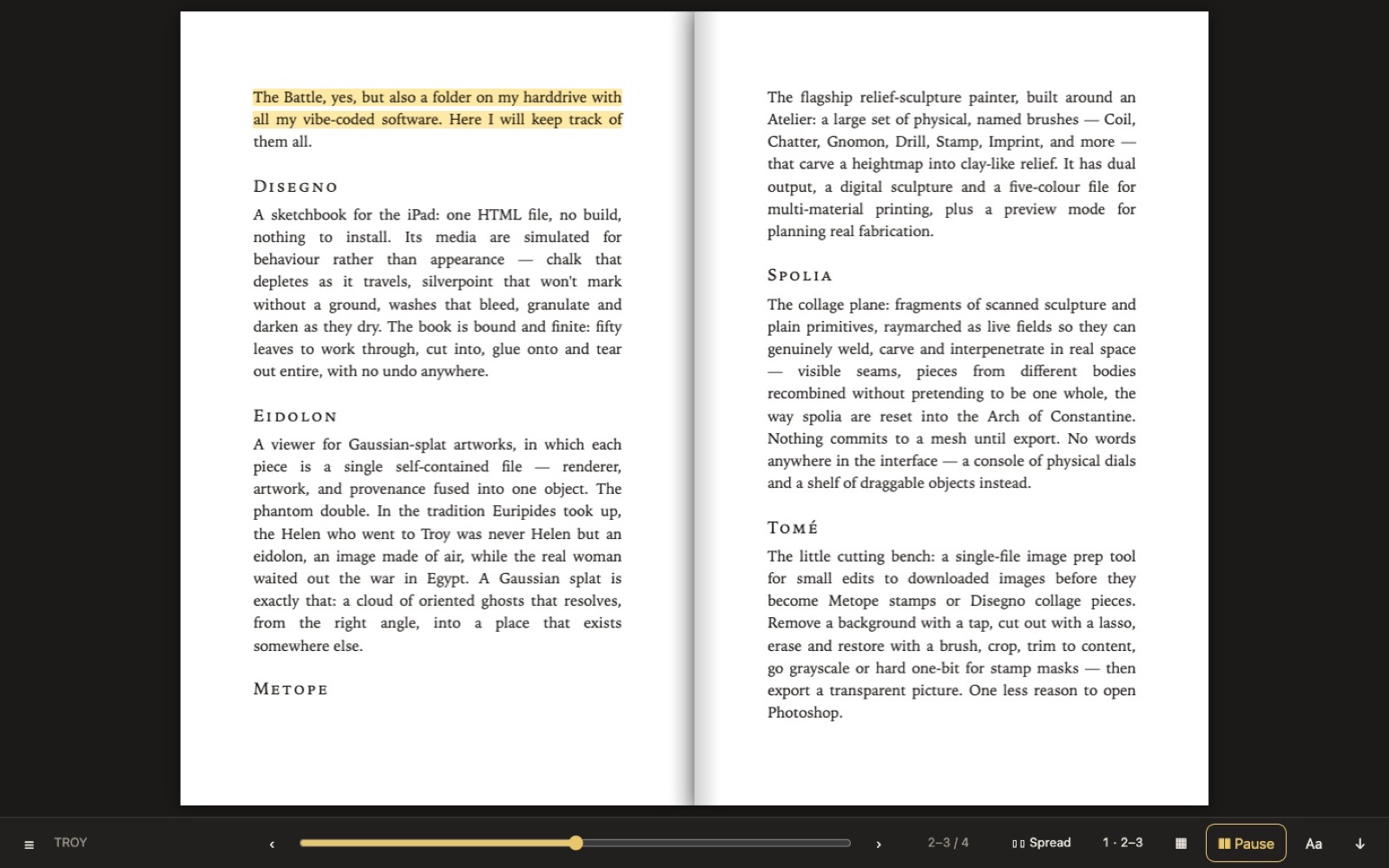
- Spreads two pages facing or one at a time, left to right or right to left, the first page alone as a cover or not. EPUBs turn by page, or scroll a chapter at a time.
- Page colours white shows the PDF untouched; cream, grey, terra, brown, navy and black recolour the paper and the ink and leave the pictures in their own colours.
- Turning swipe, tap the edges, use the arrow keys, two fingers on a Mac trackpad, or the slider. Pinch below the spread and the book becomes a wall of its pages, down to the whole book on one screen.
- Read aloud ▶ Read in the top bar (never a tap, so nothing starts by accident at night). The iPad's own voices or Piper voices that run on the device, the sentence highlighted and the pages turning to follow.
- Highlighter its switch sits in the bottom bar under the thumb, and stays in the corner when the bars are hidden. Drag across words to mark them, or draw a box round a picture. The Apple Pencil always highlights. Highlights are listed by page and written to a Highlights folder in Dropbox as Markdown, ready for ZIBALDONE.
- Pen next to the highlighter: write in a PDF in red, blue, black or green, with an eraser and undo.
Where it lives
Code in TROY/LECTOR (its own repo), live at https://auriea.art/lector/. The books are in Dropbox, in the app folder "LECTOR Bibliotheek"; a book thrown out goes to a Delete Me folder there and nothing is ever deleted. The sorter runs while LECTOR is open, and on the Mac in the background. There is also an offline Windows version that keeps the library in a local folder.